Ralph-looping Claude to build a DOCX editor in js from scratch
Tech Blog
February 7, 2026 • ☕️ 3 min read
At Eigenpal, one of our core pipelines maps unstructured data into templated Word documents. We rely on docxtemplater on the backend, and for a while we were asking users to download .docx files and manually edit {variable} placeholders and {#loop} syntax in Word. It worked, but the UX sucked.
What we really needed was a Google Docs–style WYSIWYG editor that I could extend to support custom templating annotations. I looked everywhere, but every existing JavaScript DOCX editor was either commercially-licensed or abandoned. There was no solid, MIT-licensed, JS-first option available.
So I built one. Or rather, I let Claude Code build one while I slept.
github.com/eigenpal/docx-js-editor
Claude Code with Ralph loop
My Claude Code subscription sits idle while I sleep, so I decided to Ralph-loop it: I forced the agent to keep grinding with a feedback loop until it produced a working editor. I seeded it with a general architecture (Prosemirror/Tiptap-style plugins) and let it free.
The setup was simple. For validation, I had Claude rely on the Playwright MCP to run visual checks after each change. We prepared a test suite ahead of time, and from there, everything ran in a loop: itemized plan with validation steps, the agent works through each task, uses Playwright to verify results, moves on to the next one and adds more task to a stack of TODO items.
On a positive note, LLMs seem to have deep latent knowledge of how Google Docs-style editors should work. Describing expected behavior for things like selection handling, bold toggling, and cursor positioning turned out to be way more natural than I expected. The model already “knew” what a WYSIWYG editor should do, which made the test suite far easier to set up than I thought.
Results
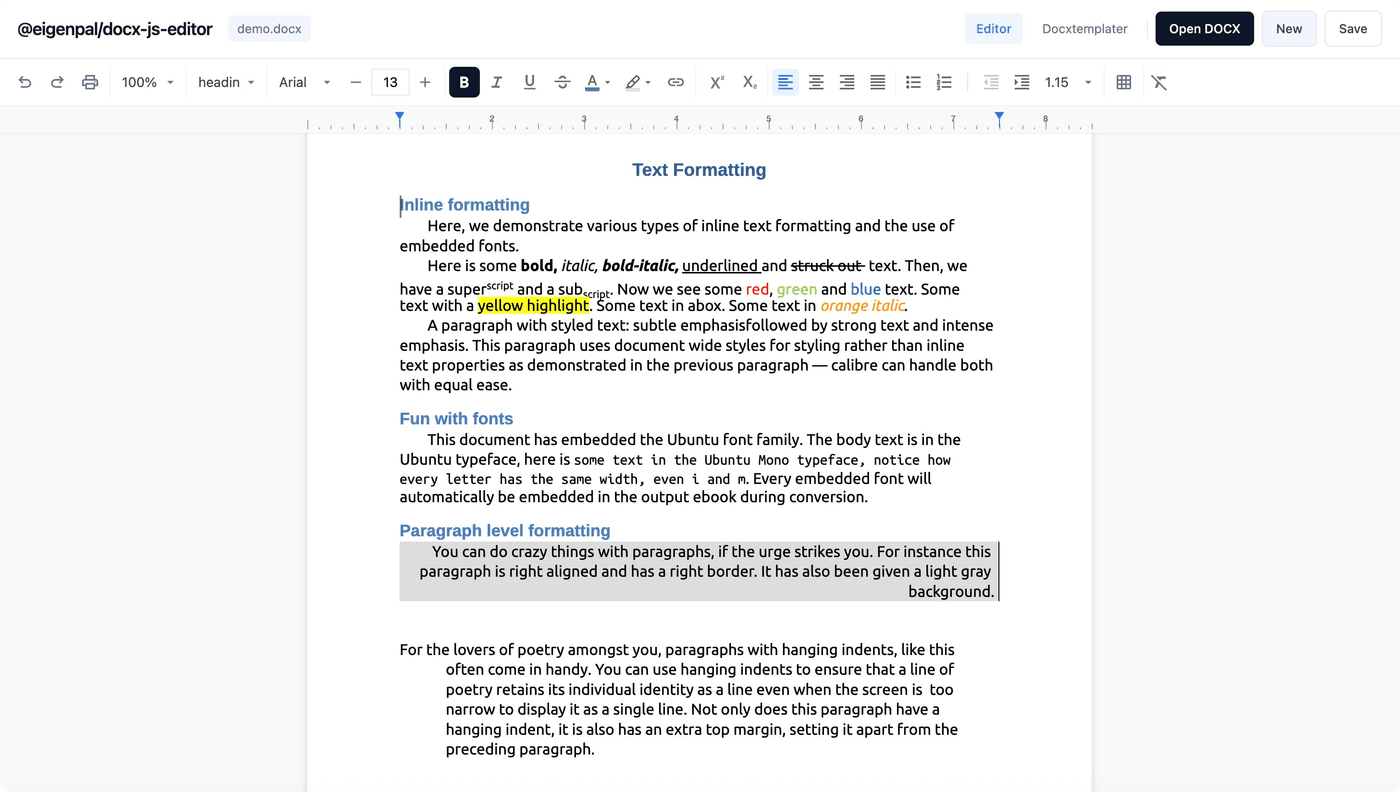
After running for a couple of nights, we had a functional editor. You can check out the .docx editor at: docx-editor.dev.
The good
We got a surprisingly decent result. The agent implemented a proper layout engine and most text styling works almost at Google Docs level: bold, italic, underline, font sizes, colors. We even got plugin support in to handle {variable} templating with docxtemplater, which is exactly what we needed for our use case.
The bad
Each Ralph loop run required some manual cleanup. If something wasn’t covered by a test, it was broken. For example, the editor itself worked perfectly, but the toolbar wasn’t actually wired to the editor state, it rendered fine but clicking some buttons did nothing. Test coverage is the spec. Anything outside it likely will be ignored by the agent.
I also burned through my entire Claude Max 20x weekly quota. Claude could be more efficient with tokens. Playwright tests and reading example .docx files was burning a lot of context.
The ugly
The first night was a total false start. I didn’t emphasize “WYSIWYG” strongly enough in the initial architecture doc, and I woke up to a fancy CSS mapper function that could convert some Word styles to HTML. Technically impressive, sure, but completely useless for our needs. That version had no concept of proper document layout, couldn’t calculate page breaks, and certainly had no editing capabilities.
Lesson learned: the initial framing matters enormously for autonomous runs.
What’s next
We have an 80/20 DOCX editor. It covers the core text editing and templating we need for Eigenpal perfectly. We still keep Claude grinding to support any bugs / edge cases that we spot.
If you need a forkable, MIT-licensed Word-style editor, or just want to see what autonomous agents can produce with automated TDD, the code is open: eigenpal/docx-js-editor.